Supported Formats
What are pattern schematics?
When creating a digital pattern, the individual stitches (and other data) must be saved in a specific format so that it can be read by the website or program you created it on.
ClickStitch will take this format and save it, so that you can track progress on patterns you create or find! This page details which pattern formats are supported and how to export files that can be uploaded here.
Feel free to ask for additional formats to be supported on the Discord.
FlossCross.com
.fcjson.oxs(Same as MacStitch / WinStitch)
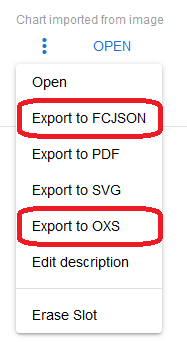
Example method of exporting via the dashboard:
MacStitch / WinStitch
.oxs
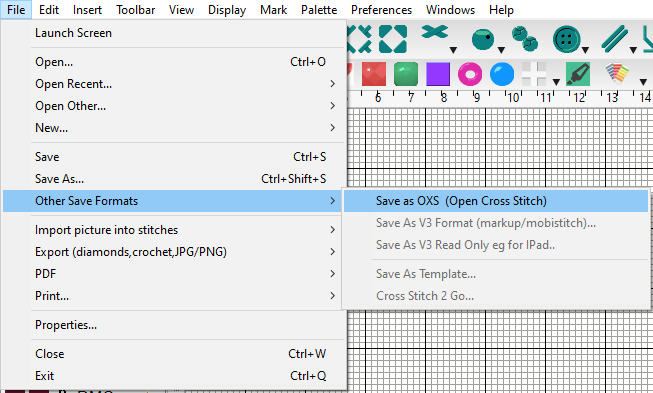
Example method of exporting in WinStitch: